

Product Categories
- > Digital Textile Printer
-
- Fedar Sublimation Textile Printer
FEDAR FD61916E Sublimation Printer FEDAR FD1924 Sublimation Printer FEDAR FD1912S Sublimation Printer FEDAR FD61915E-A Sublimation Printer FEDAR FD5198E Sublimation Printer FEDAR FD51915E Sublimation Printer FEDAR FD53215E Sublimation Printer FEDAR FD61915E Sublimation Printer FD6198E 8 Heads Printer FD6194E 4 Heads Printer FD5194E 4 Heads Printer FD5328E 3.2m Printer FD5193E 3 Heads Printer FD5268E 2.6m Printer FD1900 2 Heads Printer
- Fedar DTF Printer
FD11308 DTF Printer FD1808 DTF Printer FDA3 Pro DTF Printer A3 DTF Printer FDA3 DTF Printer FD70-5 DTF Printer FD60 DTF Printer FD70-4 DTF Printer
- Aulane DTF Printer
Aulane AL2808 DTF Printer Aulane AL2606 DTF Printer Aulane AL2604 DTF Printer Aulane AL2602 DTF Printer Aulane AL2302 DTF Printer Aulane AL2301 DTF Printer
- Fedar Sublimation Textile Printer
Three Core Causes of Printhead Clogging and How to Prevent Them
2026-11-03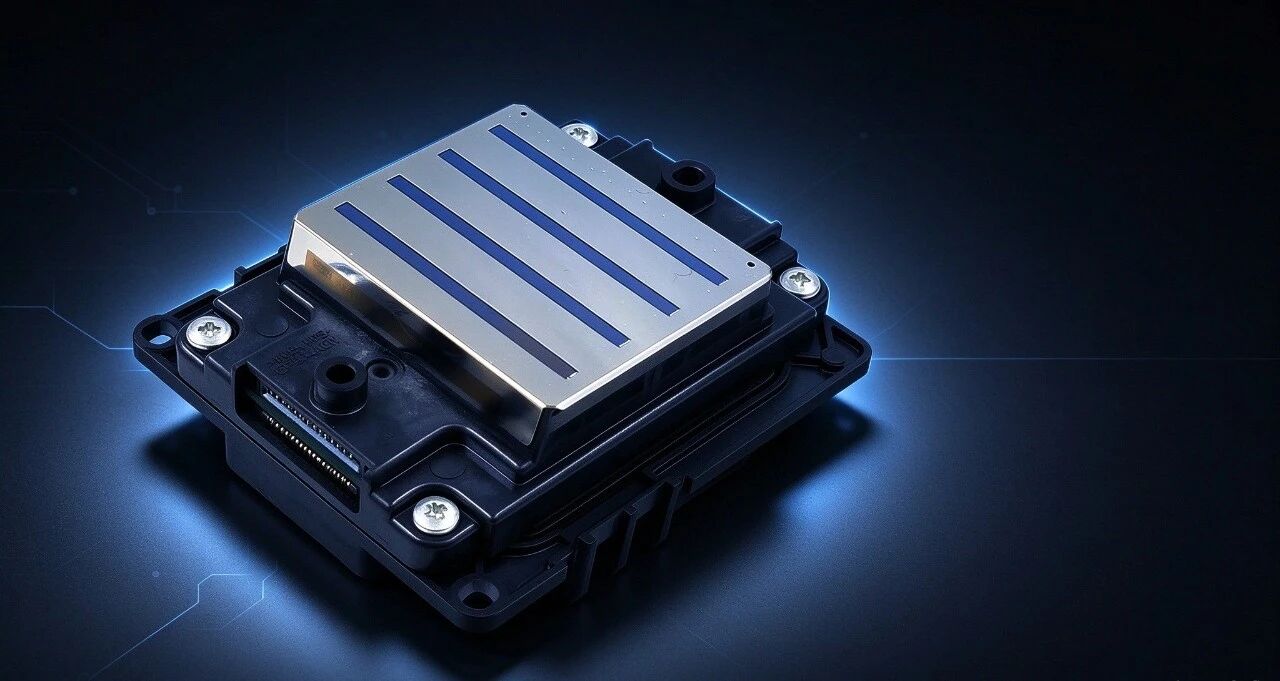
1. Poor Ink Quality – The Leading Culprit
Ink is the single biggest cause of printhead clogging. Its quality, composition, and how it is used directly affect printhead health.
Problems with inferior inks:
* Excessive drying agents–Some non-original inks add excessive dryers to achieve fast-drying results. These cause the ink to evaporate and harden inside the printhead, forming clogs at the nozzle openings. In severe cases, this can permanently burn out the printhead.
* Oversized pigment particles–Outdoor oil-based inks rely on pigments. Inferior inks contain uneven, oversized particles that accumulate on the printhead's internal filters over time, gradually narrowing the ink flow path and causing ink dropout and irreversible damage.
* Ink mixing–Different batches or brands of ink have different formulations. Mixing them can trigger chemical reactions that produce sediment, blocking ink lines and nozzles.
For users of Fedar sublimation printers and Fedar DTF printers, always use high-quality, compatible inks and avoid mixing brands or batches without proper flushing.
2. Physical Damage and Lack of Maintenance
Printheads are precision components and are vulnerable to improper handling and neglect.
Common issues:
* Piezoelectric crystal aging–Piezoelectric printheads rely on crystal deformation to control ink ejection. Prolonged high-load continuous printing causes crystal fatigue, leading to uneven ink ejection and nozzle clogging.
* Physical impact and scratching–The nozzle plate on the printhead surface is extremely delicate. Media curling, foreign objects entering the print zone, or improper manual cleaning can scratch the nozzle plate, deforming or blocking nozzles.
Operators of UV DTF printers and other Fedar systems should follow proper shutdown procedures, including capping and moisturizing, to prevent ink from drying during idle periods.
3. Uncontrolled Temperature and Humidity
Environmental conditions directly affect ink physical properties and printhead performance.
Temperature effects:
* Too low –Ink viscosity increases significantly, reducing flow. Insufficient ink is ejected per cycle, causing ink dropout.
* Too high–Ink viscosity drops, and the piezoelectric crystal may draw in air during recoil, leading to dry firing and accelerated ink evaporation.
Humidity effects:
* Too dry–Ink evaporates faster at the nozzle surface, forming crusts that block nozzles.
* Too humid–Ink dries too slowly, affecting print quality and potentially causing circuit components to absorb moisture.
For all Fedar DTF printers, Fedar sublimation printers, and UV DTF printers, maintain a stable environment of 18–30°C and 35–65% relative humidity to keep ink properties consistent and printheads healthy.
Prevention Checklist
| Cause | Prevention Tips |
| Poor ink quality | Use original or certified inks; never mix brands or batches |
| Physical damage | Handle printheads carefully; clean with proper tools; avoid media curling |
| Idle neglect | Always cap and moisturize printheads before shutdown; perform regular cleaning cycles |
| Temperature | Maintain 18–30°C in the print room |
| Humidity | Keep relative humidity between 35% and 65% |
Conclusion
Printhead clogging is not inevitable – it is preventable. By controlling ink quality, handling printheads with care, performing proper maintenance during idle periods, and maintaining stable temperature and humidity, operators of Fedar DTF printers, Fedar sublimation printers, and UV DTF printers can significantly extend printhead life, reduce downtime, and protect their investment. Prevention is always cheaper than replacement.