

Product Categories
- > Digital Textile Printer
-
- Fedar Sublimation Textile Printer
FEDAR FD61916E Sublimation Printer FEDAR FD1924 Sublimation Printer FEDAR FD1912S Sublimation Printer FEDAR FD61915E-A Sublimation Printer FEDAR FD5198E Sublimation Printer FEDAR FD51915E Sublimation Printer FEDAR FD53215E Sublimation Printer FEDAR FD61915E Sublimation Printer FD6198E 8 Heads Printer FD6194E 4 Heads Printer FD5194E 4 Heads Printer FD5328E 3.2m Printer FD5193E 3 Heads Printer FD5268E 2.6m Printer FD1900 2 Heads Printer
- Fedar DTF Printer
FD11308 DTF Printer FD1808 DTF Printer FDA3 Pro DTF Printer A3 DTF Printer FDA3 DTF Printer FD70-5 DTF Printer FD60 DTF Printer FD70-4 DTF Printer
- Aulane DTF Printer
Aulane AL2808 DTF Printer Aulane AL2606 DTF Printer Aulane AL2604 DTF Printer Aulane AL2602 DTF Printer Aulane AL2302 DTF Printer Aulane AL2301 DTF Printer
- Fedar Sublimation Textile Printer
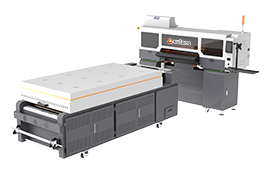
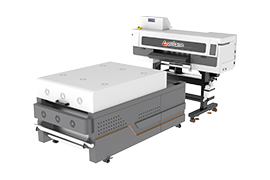
Decoding the Language of Your Printer: A Guide to Understanding Printer Error Codes
2026-01-04To empower our users and minimize downtime, we have compiled essential knowledge about common plotter error codes. Understanding these codes is the first step toward an effective resolution.
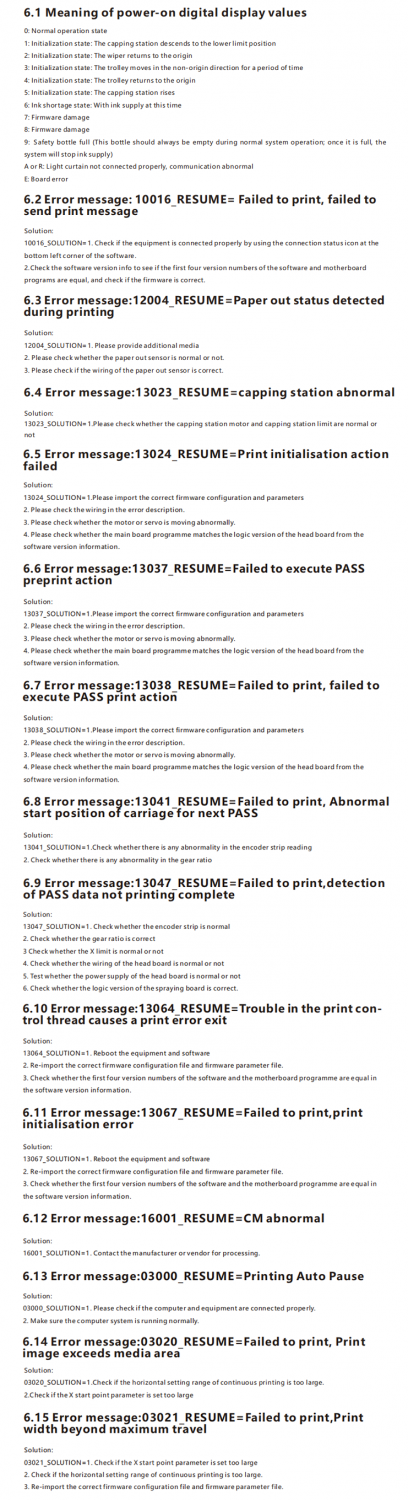
Common Error Code Categories and Actions
Below is a reference table for some typical error codes you might encounter. Please always power off the device before performing any physical inspection or maintenance.
We Are Here to Help
While this guide covers common scenarios, some complex issues require expert attention. If you are unable to resolve the problem using the information above, our dedicated technical support team is ready to assist you.
For prompt and professiona after-sales support, please email us at info@fedar.com with the following information:
* Your printer model and serial number.
* The complete error code(s) displayed.
* A brief description of the steps you have already taken.
By understanding your printer's error language, you can tackle minor issues confidently and ensure major ones are resolved swiftly by our experts, keeping your production on schedule.